Updating the MS Teams Module
Last updated: January 16, 2025
Overview
Microsoft has deprecated connectors in favor of workflows. The current integrations will stop working on January 31st. You can read more about this change in the Microsoft documentation.
In response to this update, the Spacelift MS Teams module has been updated to support Microsoft workflows. This integration enables Spacelift to send notifications to a Microsoft Teams channel when specific events occur, such as:
A tracked run or a task finishes.
A module version succeeds or fails.
Prerequisites
Before updating integration, you will need to complete the following steps in Microsoft Teams:
Navigate to your Microsoft Teams channel , select More options ••• on the right side of the channel name and click on workflows.
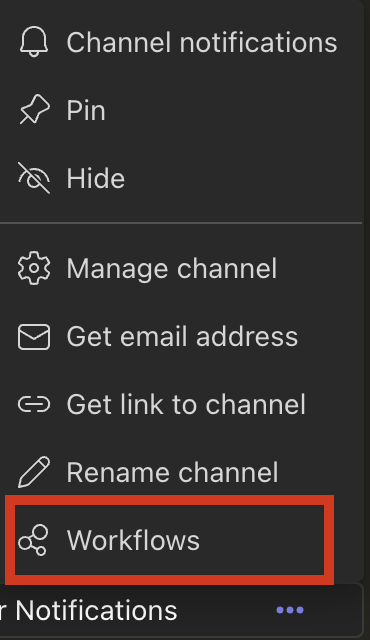
Workflows do not appear for shared channels and should only be used in standard channels.
Search and Select 'Post to a channel when a webhook request is received'.
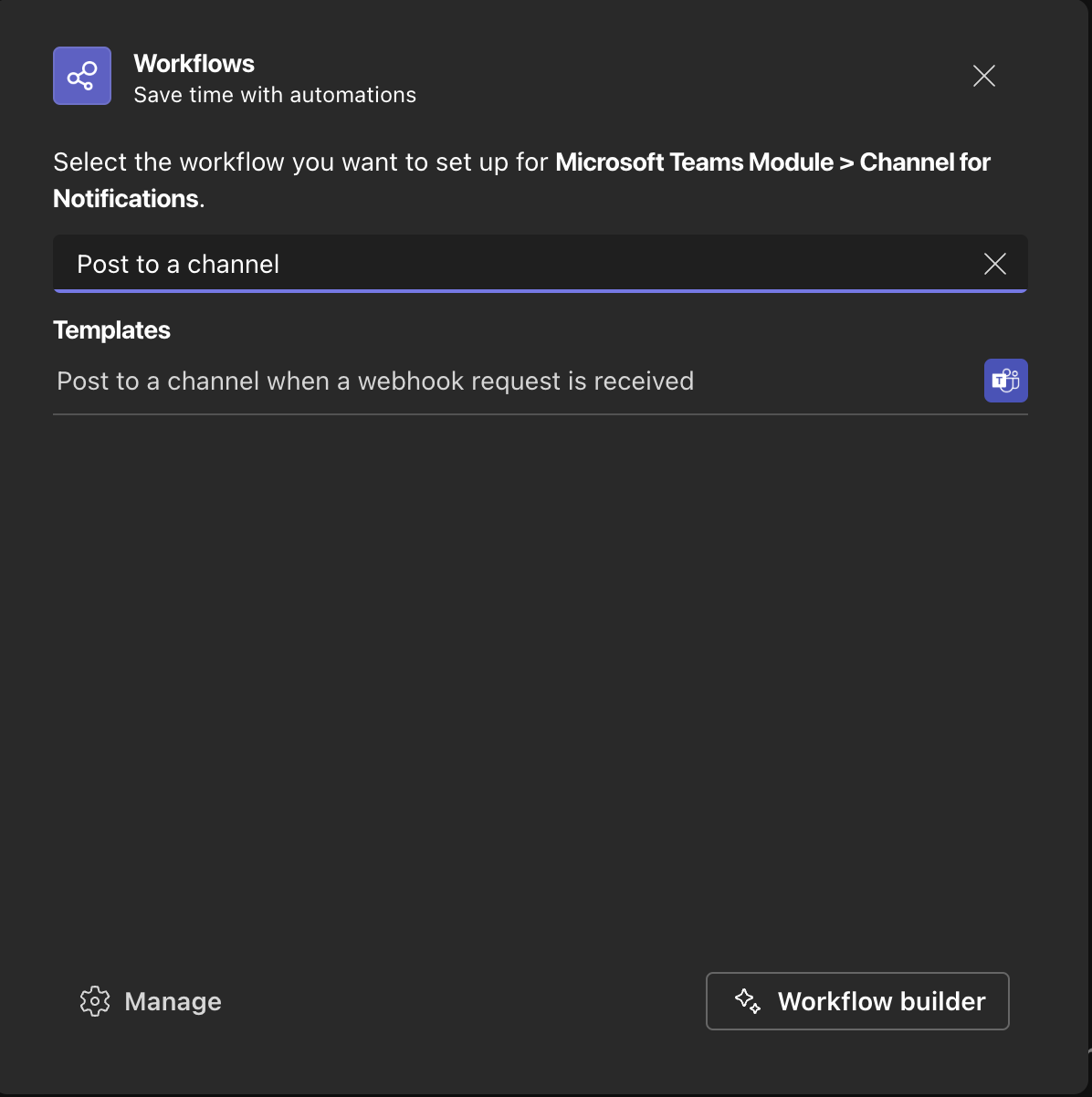
Next, you can optionally name the workflow and confirm the authentication.
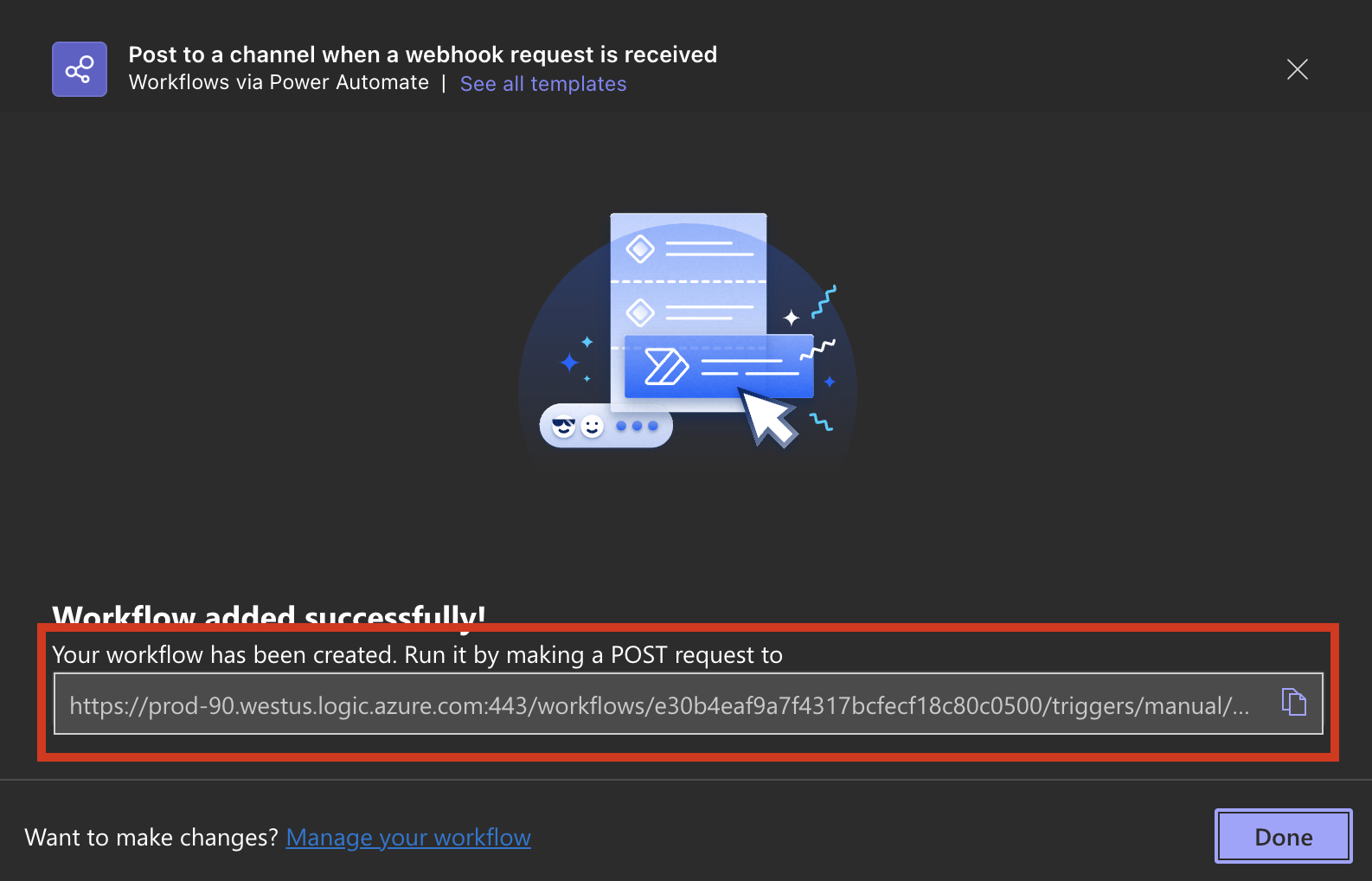
On the next page, confirm the team and channel name (these fields should auto-populate for you) After ensuring it is the correct channel, select Add workflow.
Make a note of the URL - we will update this in the module next.
Updating the MS Teams Module in Spacelift
If you are already using the MS Teams module, you must update your configuration with the new webhook URL. Use the following Terraform configuration:
module "spacelift_msteams" {
  source = "spacelift-io/msteams/spacelift"

  channel_name = "My channel"
  space_id     = "root"
  webhook_url  = "<update with new url>"
}
Applying the Changes
After updating the configuration:
A new run should trigger in the stack responsible for managing the module.
Review the Terraform plan. You should see:
Plan: 0 to add, 2 to change, 0 to destroy.These changes will include:
Updating the webhook URL.
Updating the notification policy.
Apply the changes and confirm the run completes successfully.
Verifying the Integration
Once the changes have been applied, Spacelift will continue sending notifications to the Microsoft Teams channel as usual. You should observe no interruption in updates after transitioning to the new workflow-based webhook.
Additional Resources
If you encounter issues during setup, consult the Spacelift support team for assistance.